
715 Team Чит для DayZ
715 Team — чит для DayZ (ДейЗ) с аимботом по игрокам, зомби и животным, ESP и фильтром лута.
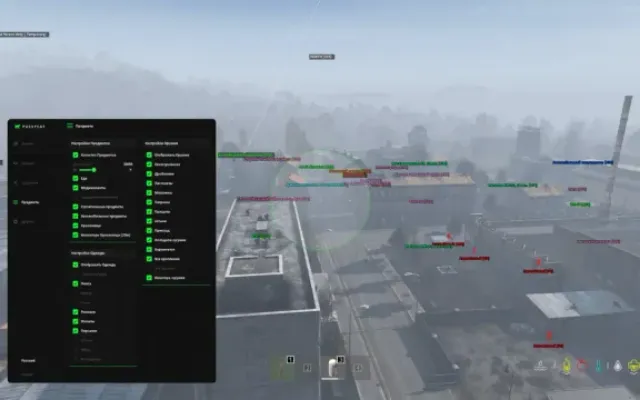
Аимбот включается отдельно для игроков, зомби и животных, показывает круг FOV нужного цвета, ограничивает дистанцию захвата и целится в голову, шею, грудь или таз. Force Bullet снимает ограничение дальности пули в 50 метров. ESP охватывает игроков со скелетами, технику, зомби, животных и лут с фильтром, есть список друзей. Важно: чит работает только с диском GPT, на MBR он не запустится. Режим окна любой, stream-proof для OBS есть.
Купить 715 Team для DayZ можно на Fresh Focus: ключ появится в личном кабинете и придёт на почту.
AimBot
1. Enable AimBot - enable automatic targeting of players
2. FOV - enable FOV display/Adjust FOV color
3. Force Bullet - enable bypass of 50m bullet range limitation
4. On Players - enable aimbot triggering on players
5. On Zombie - enable aimbot triggering on zombies
6. On Animals - enable aimbot triggering on animals
2. Lock Distance - set the distance for the aimbot to trigger
3. Select HitBox[HEAD, NECK, CHEST, PELVIS] - set the bone to which the targeting will be made [HEAD, NECK, TORSO, PELVIS]
1. Enable Player - enable display of players
2. Draw Skeleton - enable display of skeletons on players/Customize the color of the displayed skeleton
3. Draw Player Info - enable display of player information/Customize color of player information
4. Draw Player Box - enable display of box on players/Customize color of displayed box
5. Draw Inventory - enable display of player inventory/Customize text color
6. Draw Death Inventory - enable display of dead players inventory/Customize text color
7. Draw Death Player- enable display of dead players/Customize text color of dead players
8. Player Distance - adjust the distance to the displayed player
1. Enable Car - enable transport display
2. Draw Car Info - enable display of transport information/Customize transport information color
3. Draw Destroyed Car - enable display of destroyed transport/Customize color of information about destroyed transport
4. Car Distance - set the distance to the displayed transport
1. Enable Zombie - enable display of infected
2. Draw Zombie Info - enable display of information about infected/Customize the text color of information about infected
3. Draw Death Zombie - enable display of dead infected/Customize color of dead infected information
4. Zombie Distance - adjust distance to displayed infected
1. Enable Animal - enable display of animals
2. Draw Animal Info - enable display of animal information/Customize color of animal information text
3. Draw Death Animal - enable display of dead animals/Customize color of dead animal information
4. Animal Distance - adjust the distance to the displayed animals
Loot
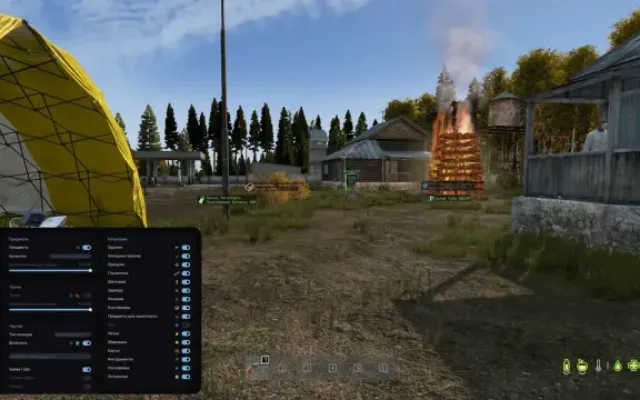
1. Enable Loot - enable loot display
2. Draw Loot Info - enable display of loot information
3. Draw Loot Quality - enable display of information about the quality of the item. The display depends on the selected FOV and is displayed only within its radius when hovering over the item.
1. Clothes - enable display of clothes/Customize clothes text color
2. Food & Drink - enable food display/Customize food text color
3. Weapons - enable weapon display/Customize weapon text color
4. Ammunation - enable ammo display/Customize ammo text color
5. Attachments - enable display of add-ons/Customize add-on text color
6. Medical - enable display of medicine/Customize medicine text color
7. Vehicle Parts - enable display of auto parts/Customize auto parts text color
8. Craft - enable display of construction items/Customize text color of construction items
9. Tools - enable display of tools/Customize text color of tools
10. Containers - enable display of containers/Customize container text color
11. Others - enable display of items that are not filtered/Customize text color of items that are not filtered
World - мир
1. Enable Countries - enable display of cities
2. Draw My Coords - enable display of your character's position
The table displays all players present on the server. The table displays the nicknames of the players. When selecting a player, his information text changes to green and his nickname gets the addition FRIEND. It is possible to filter by entering a specific nickname.
1. No Grass - disable grass display in game. Increases FPS
2. Always Days - change of game time
3. ThreadPersonView - enable third person view on servers where it is blocked
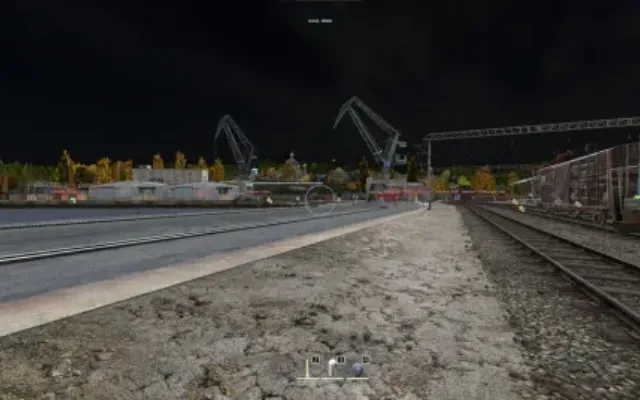
4. No Clip (CTRL + P) - enable player flight on the map. Further enabling and disabling occurs by pressing the key combination CTRL + P. Allows you to pick up loot from any point up to 5m, kill players at any distance with grenades and mines, and also loot corpses at any distance
5. Day Switch - setting for the Always Days function that allows you to adjust the game time (from night to day)
1. Tick Player Skelet - adjust the thickness of the displayed skeleton
2. Tick Player Info - adjust the font size of the text of the displayed information about players
3. Tick Player Box - adjust the thickness of the displayed box
4. Tick Player Death - adjust the font size of the text of the displayed information about dead players
1. Tick Car Info - adjust the font size of the text of the displayed transport information
2. Tick Car Destroyed - adjust the font size of the text of the displayed information about the destroyed vehicle
1. Tick Zombie Info - adjust the font size of the text of the displayed information about infected
2. Tick Zombie Death - adjust the font size of the text of the displayed information about dead infected
1. Tick Animal Info - adjust the font size of the text of the displayed information about animals
2. Tick Animal Death - adjust the font size of the text of the displayed information about dead animals
1. Tick Loot Info - adjust the font size of the text of the displayed loot information
AIMBOT6
AimBot
- Enable AimBot — enable automatic aim at players
- FOV — enable and customize FOV display and color
- Force Bullet — bypass bullet distance limitation of 50 meters
- On Players — enable aimbot trigger on players
- On Zombie — enable aimbot trigger on zombies
- On Animals — enable aimbot trigger on animals
OTHER22
SETTINGS
- FOV — configure the radius of FOV
- Lock Distance — set the activation distance for aimbot
- Select HitBox [HEAD, NECK, CHEST, PELVIS] — choose bone to aim at: head, neck, chest, pelvis
Car
- Enable Car — enable vehicle ESP
- Draw Car Info — show vehicle information and configure text color
- Draw Destroyed Car — display destroyed vehicles and configure text color
- Car Distance — set max distance to display vehicles
Zombie
- Enable Zombie — enable zombie ESP
- Draw Zombie Info — show zombie info and configure text color
- Draw Death Zombie — display dead zombies and configure text color
- Zombie Distance — set max distance to display zombies
Animal
- Enable Animal — enable animal ESP
- Draw Animal Info — show animal info and configure text color
- Draw Death Animal — display dead animals and configure text color
- Animal Distance — set max distance to display animals
Friends
- Displays a list of all players on the server. Selected players are marked FRIEND in green and can be filtered by nickname
Car
- Tick Car Info — adjust text size for vehicle info
- Tick Car Destroyed — adjust text size for destroyed vehicle info
Zombie
- Tick Zombie Info — adjust text size for zombie info
- Tick Zombie Death — adjust text size for dead zombies
Animal
- Tick Animal Info — adjust text size for animal info
- Tick Animal Death — adjust text size for dead animals
VISUALS12
Player
- Enable Player — enable player ESP
- Draw Skeleton — display player skeleton and configure its color
- Draw Player Info — show player information and configure text color
- Draw Player Box — display box around player and configure its color
- Draw Inventory — show player's inventory and configure text color
- Draw Death Inventory — show inventory of dead players and configure text color
- Draw Death Player — display dead players and configure text color
- Player Distance — set max distance to display players
Player
- Tick Player Skelet — adjust skeleton line thickness
- Tick Player Info — adjust text size for player info
- Tick Player Box — adjust player box thickness
- Tick Player Death — adjust text size for dead players
LOOT15
Loot
- Enable Loot — enable loot ESP
- Draw Loot Info — show loot info
- Draw Loot Quality — display item quality when aiming at it within FOV radius
Loot Filter
- Clothes — enable clothing ESP and set text color
- Food & Drink — enable food and drink ESP and set text color
- Weapons — enable weapon ESP and set text color
- Ammunation — enable ammo ESP and set text color
- Attachments — enable attachment ESP and set text color
- Medical — enable medical item ESP and set text color
- Vehicle Parts — enable vehicle parts ESP and set text color
- Craft — enable crafting material ESP and set text color
- Tools — enable tool ESP and set text color
- Containers — enable container ESP and set text color
- Others — enable miscellaneous item ESP and set text color
Loot
- Tick Loot Info — adjust text size for loot info
WORLD2
World
- Enable Countries — enable city names on map
- Draw My Coords — display your current coordinates
MISC5
MISC
- No Grass — remove grass to improve FPS
- Always Days — force daytime in game
- ThreadPersonView — enable third-person view on servers where it’s restricted
- No Clip (CTRL + P) — enable flight mode with loot, interaction and kill ability from any distance
- Day Switch — configure specific time of day for Always Days
- Требуемый формат диска для работы чита
- Поддерживает только GPT (MBR не работает!)
- Встроенный спуфер
- Нет
- Античит
- BATTLEYE
- Обход записи в ОБС
- Да
- Поддерживаемые режимы игры
- Все
- Поддерживаемые процессоры
- Intel и AMD
- Поддерживаемые системы
- Windows 10 PRO

Другие читы для DayZ
Все читы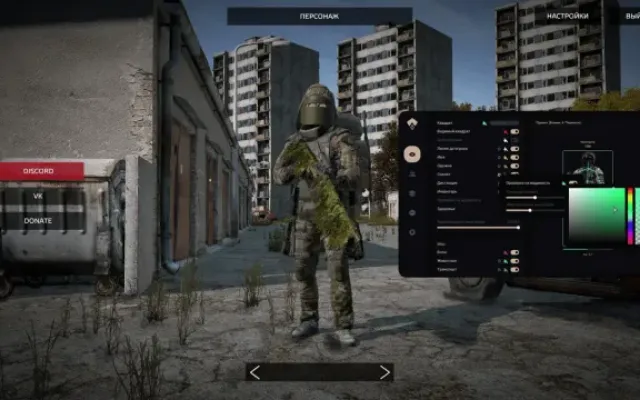
Перед покупкой: что значат статусы читов, как проверить системные требования, как купить чит. Смотрите также все читы для DayZ и все читы 715 Team.